Three years ago, a small manufacturer in Ohio renewed their cyber insurance policy with a simple questionnaire: Do you have antivirus? Yes. Firewalls? Yes. Done. The premium was manageable. The claim, when it came, was paid.
That manufacturer renewed last month. The questionnaire ran 14 pages. Their insurer demanded proof of multi-factor authentication across all email and remote-access systems, endpoint detection and response on every workstation, an immutable backup with documented testing, and evidence of documented security awareness training conducted in the past 12 months. They also wanted a copy of their incident response plan.
They nearly got dropped. And this is not unusual.
The cyber insurance market has undergone a fundamental shift. Insurers that once wrote policies based on broad question sets and good intentions are now underwriting risk with the rigor of property insurance. The result: better coverage for companies that do the work, and faster denials for those that don’t.
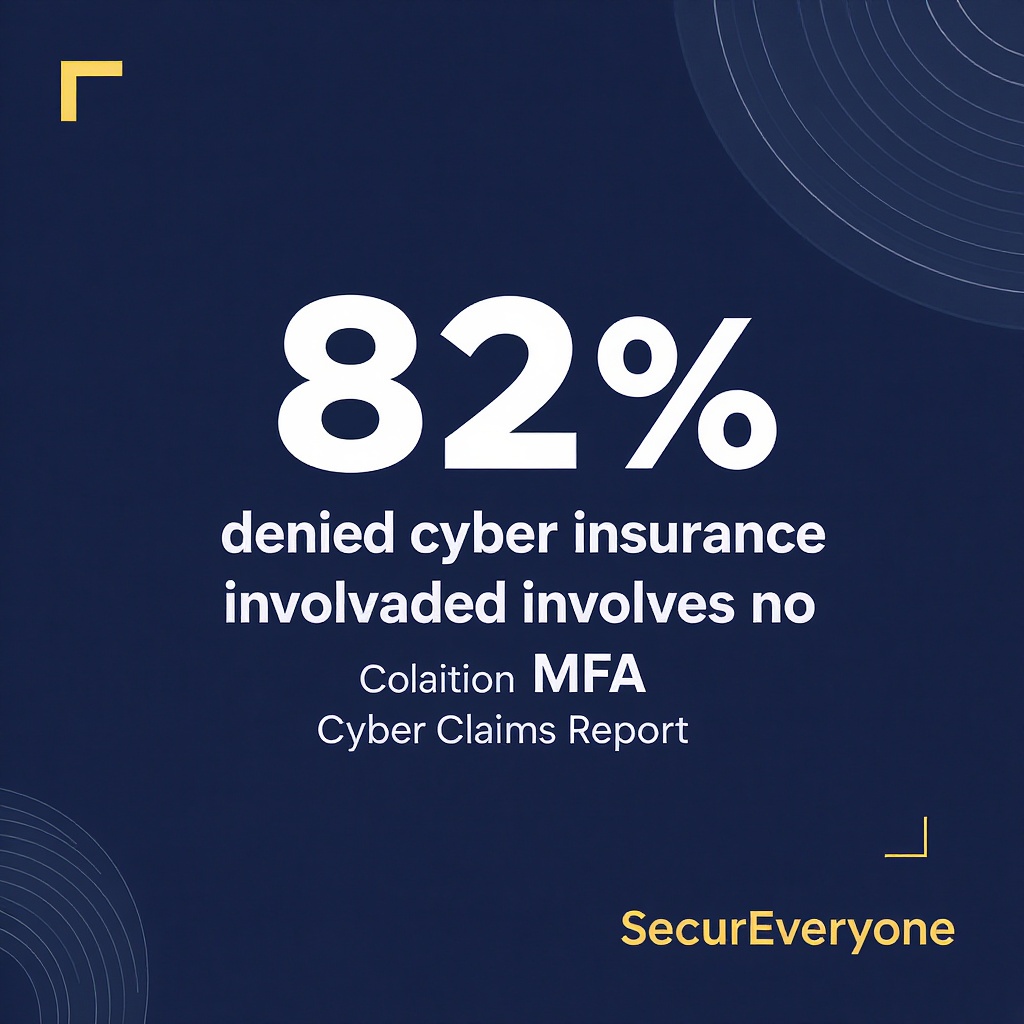
Coalition’s 2024 Cyber Claims report found that 82% of denied cyber insurance claims involved the absence of multi-factor authentication. Not malware. Not sophisticated nation-state attacks. MFA. The gap between “we have coverage” and ”we have coverage that pays” has never been wider.
Here’s what 2025 cyber insurance requirements actually look like for SMBs, and exactly what you need to have in place before your next renewal.
Why Getting Cyber Insurance Got Harder
The cyber insurance market grew to $16.3 billion in global premiums in 2025, but losses have grown faster. Munich Re estimates that cyber losses exceeded $7.8 billion in 2024—with SMBs accounting for a disproportionate share of the claims. Ransomware payments, Business Email Compromise wire transfers, and data breach notification costs have all pushed carriers to tighten underwriting standards.
Marsh McLennan’s 2024 survey found that 41% of cyber insurance applications were denied on first submission, with missing or incomplete controls documentation being the most common reason. Insurers aren’t rejecting SMBs out of caution—they’re rejecting companies that can’t document the controls they already claimed to have.
The implication is clear: having controls is no longer enough. You need to prove you have them, document them, and test them. Cyber insurance has become an audit process, not an application.
The 12 Controls Insurers Now Require
Most carriers underwriting SMBs in 2025 use a minimum controls baseline aligned with CIS Controls v8 or the NIST Cybersecurity Framework. The following are the most commonly required, listed in order of frequency of denial when absent:
- MFA on all remote access and email: MFA required for VPN, Microsoft 365, Google Workspace, and any cloud application with access to sensitive data. Hardware key or authenticator app preferred over SMS. Coalition, At-Bay, and Cowbell all require this before quoting.
- Endpoint Detection & Response (EDR): EDR installed on all workstations and servers with active monitoring. Microsoft Defender for Business, SentinelOne, or CrowdStrike Falcon Go are common choices for SMBs. Signature-only antivirus is no longer sufficient.
- Immutable offsite backups: Backups that cannot be modified, deleted, or encrypted by ransomware. This means air-gapped or immutable cloud storage (AWS S3 Object Lock, Veeam Immutable Storage). Tested backups with documented restore procedures required.
- Patch and vulnerability management: Documented process for patching operating systems, applications, and firmware within 30 days of critical patches, 90 days for high-severity. Carriers will ask for your patch cadence and last scan date.
- Email filtering and threat prevention: SPF, DKIM, DMARC configured. Banner/tagging on external emails recommended or required by some carriers. Proofpoint, Google Workspace, or Mimecast for email security.
- Documented security awareness training: Annual training is minimum; quarterly recommended. Must show records: who was trained, when, completion rate, and what topics were covered. Video-only training from most platforms does not satisfy all carriers’ documentation requirements.
- Privileged access management: Service accounts and admin accounts isolated. No shared admin credentials. Break-glass procedures documented for emergency access.
- Network segmentation: Finance, HR, and operational systems separated from general user access. Insurers want evidence that a compromised workstation can’t reach the backup systems and financial databases directly.
- Incident response plan: Written IR plan, updated in the past 12 months, with documented contact procedures, escalation chain, and legal/insurance notification steps. Must be available on demand during underwriting.
- Backup admin access controls: Separate credentials for backup management. Backup admins not using standard domain accounts. Multiple authentication factors for backup software admin consoles.
- Cybersecurity hygiene attestation: Signed attestation from an officer of the company confirming that controls described in the application are in place and active. False attestations can void coverage.
- Vendor and third-party access controls: Remote monitoring software (AnyDesk, TeamViewer, ConnectWise) disabled or documented. Vendor access reviewed quarterly. No default passwords on any vendor-managed software.
These 12 controls are the current floor, not the ceiling. As carriers continue to refine their risk models, expect additional requirements around dark web monitoring, lateral movement detection, and recovery time objectives (RTO) documentation.
The Security Awareness Training Line Item
If there’s one item on the cyber insurance checklist that creates the most confusion, it’s the security awareness training requirement. Most insurers don’t specify a platform. They specify outcomes: documented training, measurable completion rates, records that can be produced on demand.
But here’s what many brokers and agents don’t tell their clients: the type of training matters. Coalition’s underwriting guidelines specifically note that “video-only or automated training without human interaction is not considered equivalent to documented security awareness training.” Multiple carriers have adopted similar language.
The reason is straightforward: video completion rates for automated phishing training average 34% for SMBs. Employees click through the module while doing something else. The checkbox gets checked. The skill isn’t built.
Live, instructor-led training with interactive phishing simulations produces measurably different outcomes. SecurEveryone’s Business tier training includes quarterly live sessions with real-world phishing scenarios tailored to your industry and team, documented completion records, and simulated phishing click-rate benchmarks you can show your insurer.
If you’re currently using a video-only platform and your insurer asks for training records, you may find your coverage is conditional on a carrier audit of those records. Plan for that now.
Book a training consultation →
Most Common Application Red Flags
According to cyber insurance underwriting guidelines reviewed across Coalition, At-Bay, and Cowbell, these are the eight most common reasons applications are flagged, delayed, or declined at the SMB level:
- No MFA on email: O365 or Google Workspace without enforced MFA is the single most common disqualifier. This is the 82% number. If you don’t have it, nothing else matters to the underwriter.
- No EDR on servers: Covering workstations but skipping servers is common. Ransomware groups often move to servers once they have a foothold on a workstation.
- Shared admin credentials: A single admin account used by multiple IT staff with no break-glass procedures. Insurers view this as a single-point-of-failure for credential theft.
- Outdated patching cadence: Patches applied ad hoc rather than on a documented schedule. If you can’t show a patch log from the last 90 days, the underwriter assumes you don’t have one.
- No incident response plan: Having a plan is now a hard requirement for most carriers writing SMB policies. A 3-page Word document that hasn’t been updated since 2021 is not a plan.
- Backups on the same network as production: If your backups can be reached from the same domain credentials as your production systems, an attacker who compromises your network can encrypt your backups. Immutable or air-gapped is the standard.
- Incomplete attestation: Signing the attestation without reviewing the controls is visible to underwriters. If they ask for evidence of an item on the attestation and you can’t produce it, the application can be voided.
- Undisclosed prior incidents: Failure to disclose a prior breach, ransomware event, or business email compromise incident is grounds for voiding coverage after the fact. Full disclosure is always the better strategy.
What Evidence to Keep (and for How Long)
Cyber insurance audits are not retrospective in the way property insurance audits are. A carrier that wants to deny your claim will ask for evidence of controls as of the date of the incident. That evidence needs to be current, accurate, and retrievable.
Here’s what you should have documented and accessible at all times:
- MFA enrollment report: Export from your identity provider (Microsoft Entra, Google Admin, Okta) showing all users with MFA enabled and the authentication method in use. Run this monthly and save it.
- EDR deployment confirmation: Screenshot or export from your EDR console showing all enrolled endpoints. Update quarterly.
- Backup test logs: Documentation of each backup test run, including what was restored, how long it took, and the result. Monthly minimum.
- Training completion records: Per-employee completion records including date, topics covered, assessment scores if applicable, and platform used. Retain for 3 years minimum.
- Patch log: Automated patch management tool export showing patch status by device over the last 90 days. Horizon3, Automox, or your RMM tool can produce this.
- Incident response plan: Current version with dates, contacts, escalation procedures. Review and update every 12 months minimum. Use our IR Plan Builder to generate a compliant plan in minutes →
For a complete incident response plan that meets insurer requirements and maps to NIST SP 800-61r2, use our free IR Plan Builder. It generates a 12-page PDF customized to your industry, headcount, and compliance requirements—the exact document carriers are now asking for in the underwriting process.
Want the checklist in one printable document? Download the Cyber Insurance Readiness Checklist with all 12 controls, evidence requirements, and the 90/60/30-day renewal timeline.
Renewal Prep: 90 / 60 / 30 Day Checklist
Don’t wait until 30 days before your renewal to start preparing. Insurers can tell. Here’s the timeline that works:
- 90 days out — Audit your controls: Pull your MFA enrollment report, EDR console, and backup logs. Identify gaps. This is your remediation window.
- 60 days out — Remediate critical gaps: Enforce MFA on any accounts still missing it. Ensure backup testing is documented. Update your incident response plan. Run a phishing simulation to benchmark your team. Get our free Phishing Test Kit →
- 30 days out — Compile your evidence package: Assemble your MFA report, EDR screenshot, patch log, backup test records, and training completion records in a single folder labeled “Cyber Insurance Evidence — [Date].” Run a tabletop exercise with your IR plan. Assess your overall security posture with our free Cybersecurity Scorecard → Download the full checklist with all 12 controls and evidence requirements →
The evidence package is what separates companies that get coverage renewed smoothly from companies that get a non-renewal notice 45 days before expiration.
Carrier Programs at a Glance
Not all cyber insurance carriers have the same requirements. The following are the most commonly used carriers for SMBs and where they land on the requirements spectrum:
- Coalition: Full active underwriting. Requires MFA, EDR, immutable backups, and documented training before quoting. Coalition also monitors for exposed credentials on the dark web and will alert policyholders to exposures that could affect their coverage status.
- At-Bay: Risk assessment engine that scans your external attack surface before quoting. Requires MFA and EDR. Has the strongest technical hygiene requirements of the SMB-focused carriers.
- Cowbell: Uses CIS Controls v8 as the baseline. Requires documented training and EDR. More flexible on backup architecture than Coalition or At-Bah, but still requires immutability documentation.
- Travelers CyberRisk: More traditional underwriting with longer application timelines. Requires MFA and EDR. Will accept automated training records but prefers documented completion with assessment scores.
- Corvus: Heavy emphasis on technical controls and dark web monitoring. Requires EDR and MFA before quoting. Offers主动 risk reduction tools through their platform.
Working with an experienced cyber insurance broker who specializes in SMBs is strongly recommended. They know which carriers are quoting in your risk category and which will accept your current control posture versus requiring remediation before binding.
Frequently Asked Questions
Does having cyber insurance mean my claim will be paid if we get hit?
Not automatically. Insurers can deny claims when the application contained false statements, when required controls were not in place at the time of the incident, or when the policyholder cannot produce evidence of the controls listed in their attestation. The 82% MFA denial rate from Coalition means the most common reason claims aren’t paid is a control that wasn’t in place. Coverage is real, but it’s conditional on what you do before an incident, not just what you buy.
Is MFA enough to get coverage approved?
MFA is necessary but not sufficient. It’s the single most important control—absent it, most carriers won’t quote you—but you still need EDR, immutable backups, documented training, and an incident response plan. Think of MFA as the gate, and everything else as the floor you stand on once you’re through it.
What does “immutable backup” actually mean?
An immutable backup is a backup that cannot be overwritten, modified, or deleted by any user account with access to your production environment. This means an attacker who compromises your admin credentials cannot also encrypt or delete your backups. Common implementations: cloud storage with Object Lock (AWS S3, Wasabi), air-gapped tape backup, or backup software with immutable storage targets. A standard NAS on the same network is not immutable.
How often do I need to run backup tests to satisfy insurers?
Most insurers want documentation of quarterly backup tests minimum. Each test should include: what was restored, how long the restore took, confirmation that the restored data was intact and accessible. Store these records. A test you ran but didn’t document is a test you can’t prove happened.
Does my current training platform satisfy the insurance requirement?
Probably not, if it’s video-only. Carrier underwriting guidelines across Coalition, At-Bay, and Cowbell reference training that includes human interaction, simulated phishing scenarios, and per-employee completion records. Video modules with automated completion triggers do not meet most carriers’ documentation requirements. Contact your carrier directly to confirm what their documentation standard requires before assuming your current platform is sufficient.
We already had a breach. Will that affect our coverage?
It depends on how long ago, what type of breach, and how you disclosed it. Full and accurate disclosure on your application is mandatory. Failure to disclose a prior incident can void coverage after a claim is filed. That said, a properly disclosed and remediated prior incident does not automatically disqualify you from coverage. Several carriers write SMBs with prior incident history if the root cause has been remediated and documented.
Our IT vendor manages our security. Does that count as “we have controls”?
No. The attestation on the insurance application is signed by you, the policyholder, not your IT vendor. You’re certifying that the controls described are in place regardless of who manages them. If your IT vendor is managing them well, document that relationship and keep records of what they manage. If they’re not managing them well, the gap is yours.
Can we use a single platform to cover all the technical controls insurers require?
Some platforms come close—Microsoft 365 Business Premium includes Defender for Business and MFA enforcement, which satisfies several requirements in a single subscription. SentinelOne and CrowdStrike Falcon Go both cover EDR requirements. But no single platform covers all 12 controls. You’ll need to assess your current stack against the checklist and identify which controls need additional tooling. Use our free Cybersecurity Scorecard to assess your current control posture →
If you want to know where your company stands before your next renewal, take our free Cybersecurity Scorecard. It takes 5 minutes and benchmarks your team against the controls insurers actually check for.
Free Assessment
Is your team prepared for a cyber insurance audit?
Most SMBs don\u2019t know their coverage is conditional until a claim gets denied. Our free Cybersecurity Scorecard benchmarks your team against the 12 controls insurers actually check for.
Take the Free Scorecard \u2192
Get your free pocket guide
Enter your work email and we'll send the SMB Phishing Defense Pocket Guide — 6 red flags + 5-step incident response playbook.
Check your inbox!
Your pocket guide is on its way.
No spam. Unsubscribe anytime. Unsubscribe